Table of Contents
The Results Page
The Results Page presents our grading of your ECG interpretation and provides tools to help you understand your performance and learn from each case.
The page is organized into four major sections:
| Section | Purpose |
|---|---|
| ECG Display Section | Shows the ECG you interpreted and the appropriate toolbar controls for that ECG type. |
| Results Section | Provides detailed feedback on your interpretation, including TP/FP/FN status, explanations, and performance metrics. |
| Ratings Section | Collects user feedback on sample quality, difficulty, and satisfaction. |
| Comment Section | Displays discussion and allows users to post and manage comments for each ECG. |
The ECG Display Section
The top of the Results Page shows the ECG you just analyzed. The layout and toolbar vary by ECG type. The ECG types available on The ECG Quiz are as follows:
| ECG Type | Duration | Toolbar Controls Page |
|---|---|---|
| Short Telemetry ECGs | 6-second and 10-second strips | Short Telemetry ECG Toolbar |
| Long Telemetry ECGs | 30-second and 60-second strips | Long Telemetry ECG Toolbar |
| Data-Based 12-Lead Diagnostic ECGs | Full diagnostic recording | Data-Based 12-Lead ECG Toolbar |
| Image-Based 12-Lead ECGs | Full diagnostic image samples | Image-Based 12-Lead ECG Toolbar |
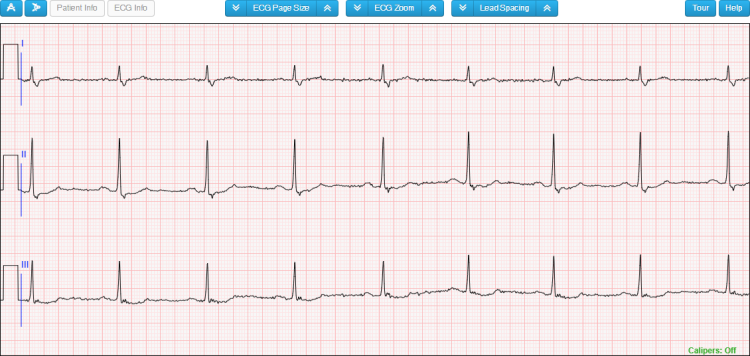
Short Telemetry ECGs
For 6-second and 10-second short telemetry ECGs, the interface appears as shown in Figure 1. The toolbar buttons above the ECG are described on the Short Telemetry ECG Toolbar page.
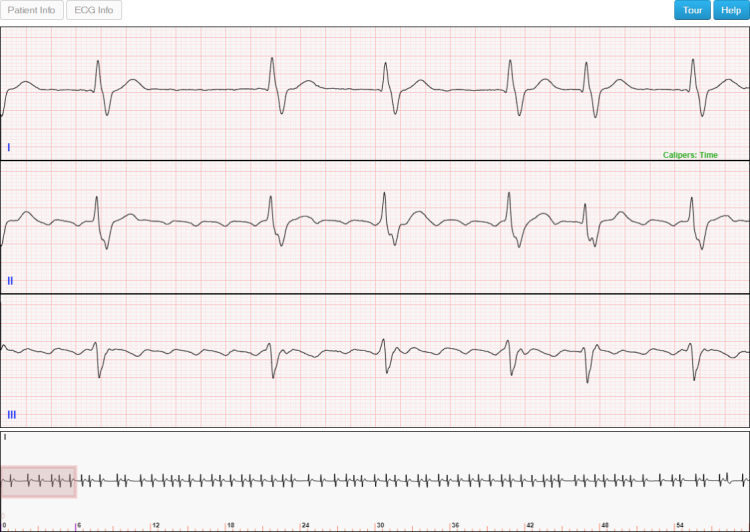
Long Telemetry ECGs
For 30-second and 60-second long telemetry ECGs, the interface appears as in Figure 3. The toolbar buttons are described on the Long Telemetry ECG Toolbar page.
Data-Based 12-Lead ECGs
For data-based 12-lead diagnostic ECGs, the interface appears as in Figure 2. Toolbar controls are described on the Data-Based 12-Lead ECG Toolbar page.
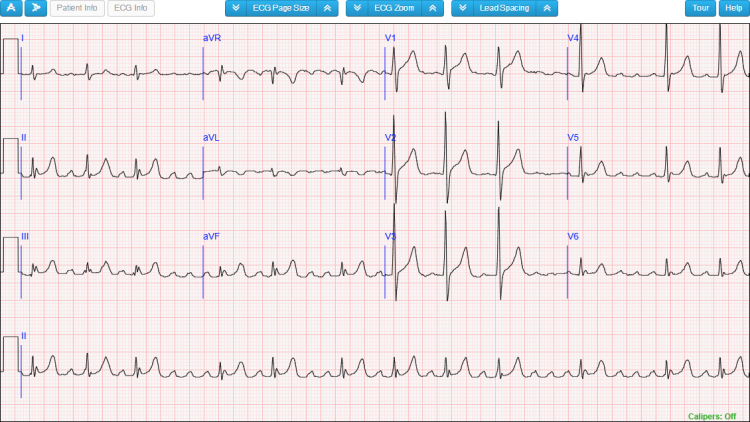
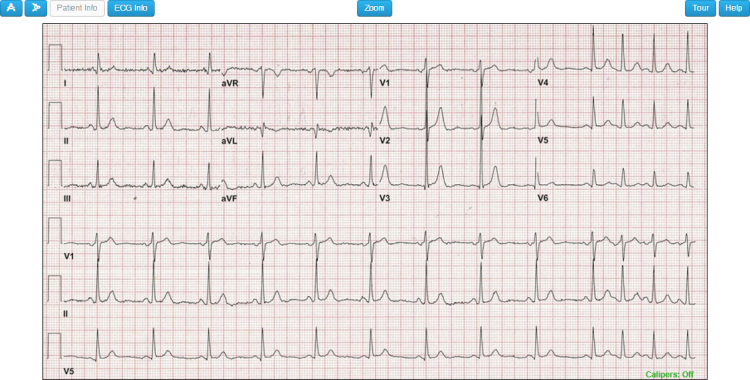
Image-Based 12-Lead ECGs
For image-based 12-lead ECGs, the interface appears as in Figure 4. Toolbar controls are described on the Image-Based 12-Lead ECG Toolbar page.
The Results Section
The Results Section contains three main regions:

The Tab Region
The Tab Region (Figure 6) displays one tab for each time you have interpreted this ECG.
- If you interpreted the ECG twice, you’ll see two tabs.
- The difficulty level appears in the upper right corner of the Tab Region and may be
 (Simple),
  (Moderate), or
  (Difficult).
 - The date, time, and skill level for the selected interpretation appear below the tabs.

The Interpretation Region
The Interpretation Region provides detailed feedback on how your diagnoses compare with the correct interpretation. It is divided into four subregions:
Your Interpretation
Shows the diagnoses you submitted for this ECG. Icons to the left of each diagnosis indicate whether we graded it as a True Positive or False Positive/Negative. See the Icon Key Region for a legend of these icons.
Correct Interpretation
Shows the true interpretation of this ECG. Icons indicate whether each diagnosis is:
- True Positive
- False Negative (missed Must diagnosis)
- Not Counted (NC) due to hierarchical rules
If any diagnoses are Not Counted, an explanation will be displayed.
If you disagree with our interpretation, you can submit a challenge by clicking the
 button to tell us what you think the correct interpretation should be.
Performance Summary
Displays numeric results of your performance on this ECG, including:
- Time spent analyzing the ECG
- Counts of TP, FP, FN, etc.
- Performance metrics such as precision, recall, and F1 score (where applicable)
If this interpretation is included in your overall statistics, a confirmation line appears at the bottom of the section, and the  icon appears in the title bar.
Explanation
Provides our explanatory notes for this ECG.
If a ladder diagram is available, the ladder diagram icon will be active. Click it to toggle the ladder diagram display.
If annotations are available, the annotations icon will be active. Click it to toggle the display of annotations on the ECG.
Single Interpretation Example
When an ECG has only one defined interpretation, the Interpretation Region shows a single panel, as in Figure 7.

Multiple Interpretation Example
Some ECGs have more than one valid interpretation. In such cases, the Results Section displays one panel for each interpretation, as in Figure 8.
- Click an interpretation’s title bar to expand or collapse that interpretation’s results.
- Only one interpretation is expanded at a time.
One interpretation is marked as the preferred interpretation. Its title bar contains the
 tag, as shown for Interpretation #2 in Figure 8.

Icon Key Region
The Icon Key Region (Figure 9) provides a legend for all icons used in the “Your Interpretation” and “Correct Interpretation” lists.
See The Scoring Algorithm and Understanding the Results for definitions of True Positive, False Negative, Not Counted, and other scoring terms.

The Ratings Section
The Ratings Section displays how other users of The ECG Quiz rated this ECG and allows you to provide your own ratings (Figure 10).
Available rating dimensions:
- Sample Quality
- How visually clear the sample is, from 1 (poor/unclear) to 5 (excellent clarity).
- Difficulty
- How difficult the ECG was to interpret, from 1 (easy) to 5 (very difficult).
- Satisfaction
- Your overall satisfaction with this sample, from 1 (not satisfied) to 5 (highly satisfied).
If you have not yet rated an ECG, click the star that best matches your evaluation.

The Comment Section
The Comment Section shows user comments for the ECG you interpreted (Figure 11).
- If no comments exist, you will see a “Be the first to comment” message.
- To add a comment, click “Post a comment”.
- To receive email notifications when new comments are added, click “Subscribe”.
You can customize how comments are displayed:
- Change sort order using the “Newest First” dropdown (e.g., newest, oldest, most voted).
- Change comment layout using the “Nested” dropdown (e.g., nested, flat).
